

Offline by design
Import, text recognition, and search happen on your phone. Your records are available without Wi-Fi or mobile data.
A little less searching. A little more peace of mind.
Reports, prescriptions, scans. Together on your phone, ready when you need them. Even offline.
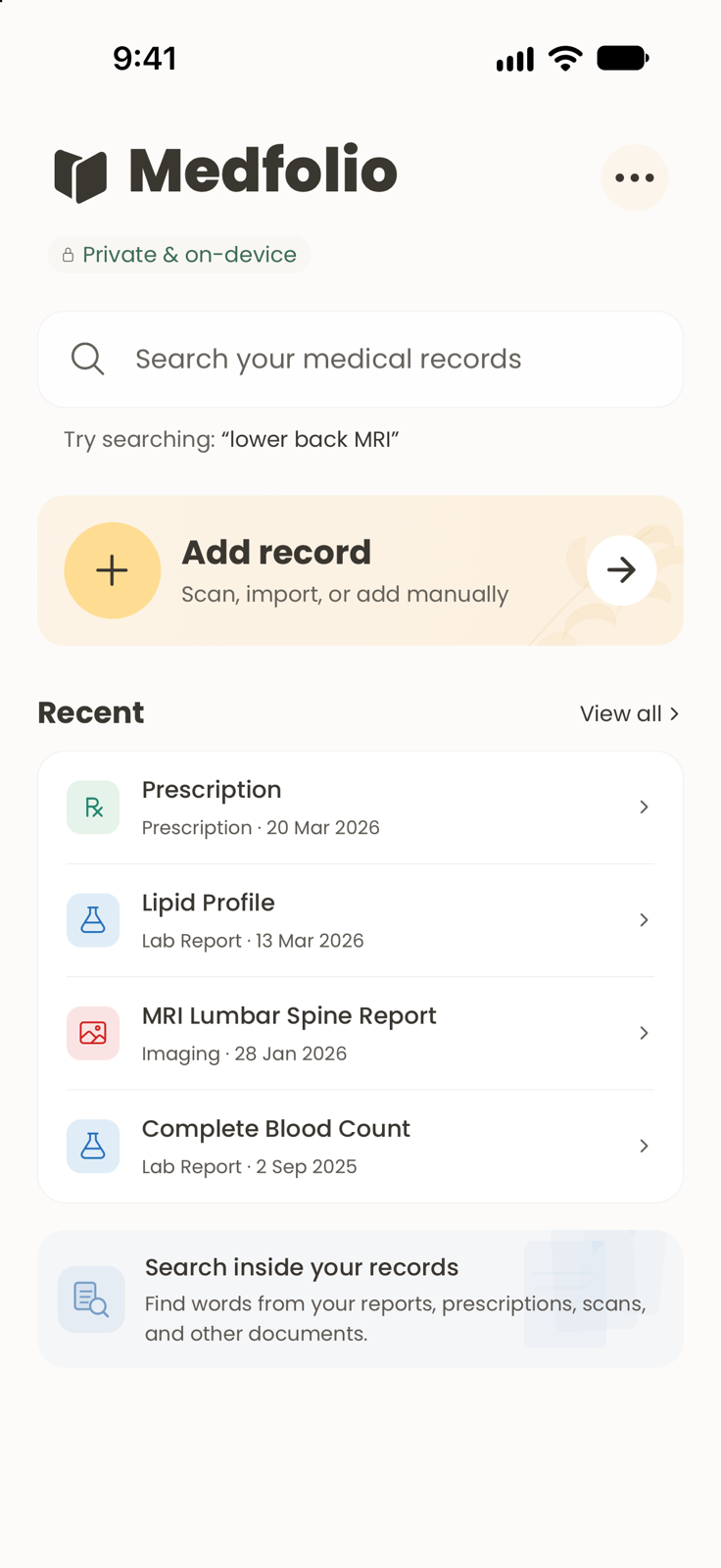
The actual app. Fictional records.
On your device. Your records stay with you.
Works offline. Ready without a connection.
No account. One less thing to remember.
That report from last year shouldn’t take an afternoon to find.
Scan a paper report, import a PDF, or choose a photo. Medfolio reads the text on your device and makes it searchable.
Keep the original alongside its details. Review and correct those details whenever you need to.
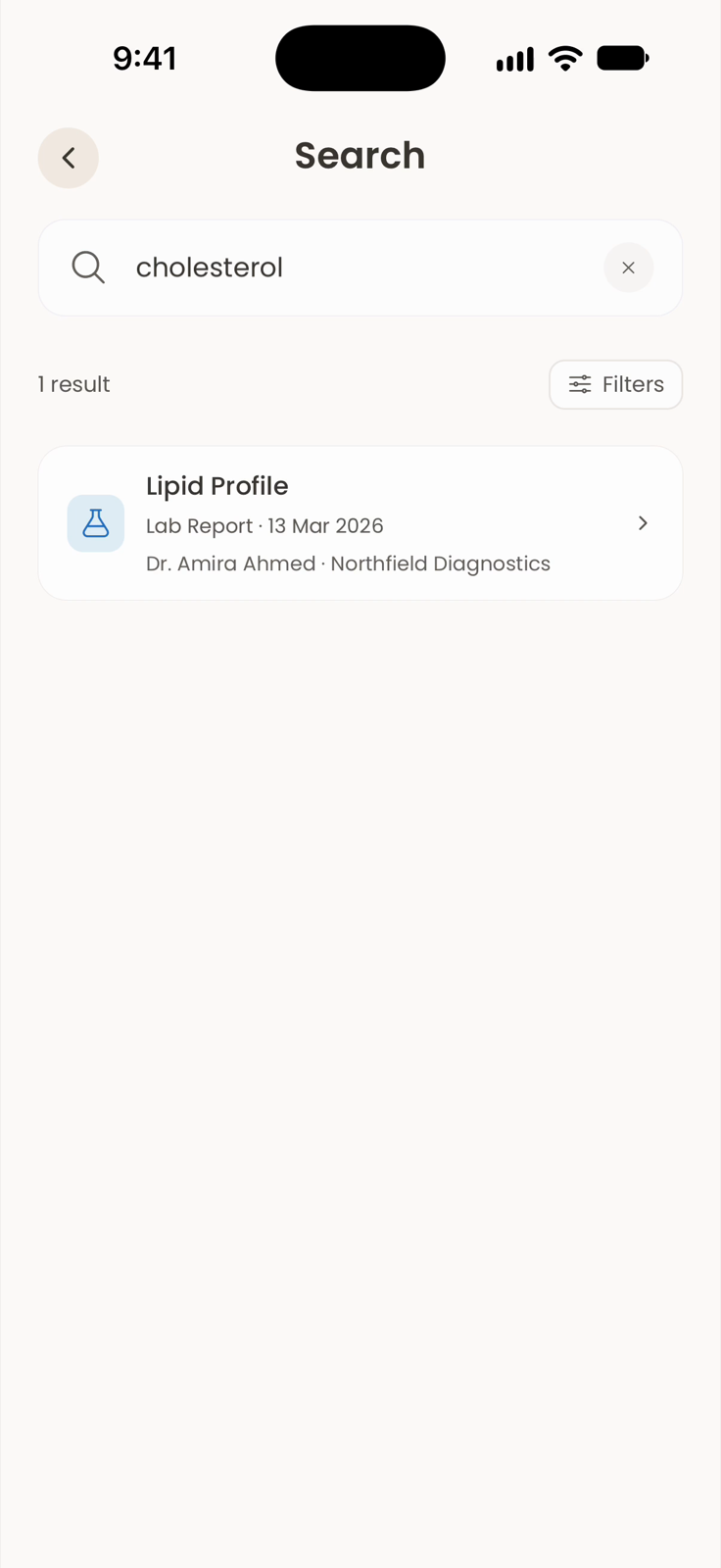
Try “cholesterol”, “lower back MRI”, or “blood tests from 2025”. Search record details and the words inside your documents.
Narrow things down by record type, date, provider, or facility. All without an internet connection.
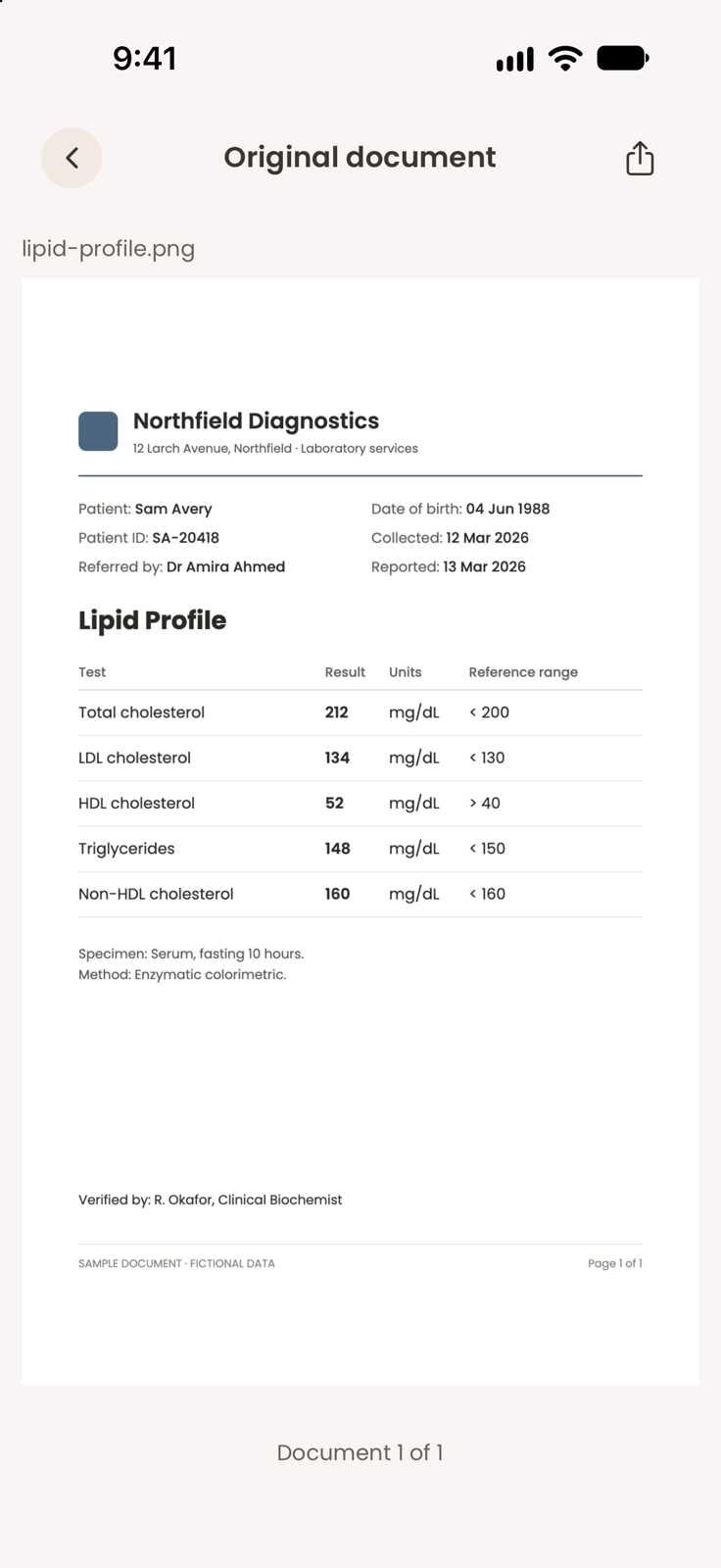
Open the original report alongside its date, provider, and record details. Keep the context that matters, ready for your next appointment.
Text extraction can make mistakes. Always check the original document when accuracy matters.

Personal means personal.
Your records are stored and processed on your device. Medfolio doesn’t receive your medical documents or sync them to a server.
Read our privacy policyImport, text recognition, and search happen on your phone. Your records are available without Wi-Fi or mobile data.
Turn on optional App Lock with your device’s Face ID, fingerprint, or passcode. App Lock controls access; it doesn’t encrypt your records.
Export a manual backup before changing phones or uninstalling. Backups aren’t automatic, and exported ZIP files aren’t encrypted.
Medical processing stays on-device. Google ML Kit may collect SDK diagnostics and usage data. Details are in the privacy policy.
Something else on your mind?
Visit support
Yes. Importing, text recognition, organizing, and searching your records all work on your device. You may need internet to download a file from a cloud provider before importing it.
Import PDFs and images, scan paper documents with your camera, or enter record details manually. Keep lab reports, prescriptions, imaging reports, and other medical documents together. Some attachments may be kept without searchable text.
No account or sign-in is needed. Your vault lives in the app’s local storage on your device. There’s no cloud sync between phones.
Before switching phones, export a backup from More → Backup & restore. Keep that ZIP somewhere you trust, then import it on your new phone. Exports aren’t encrypted, and restoring replaces the current vault. Records are excluded from automatic device backups.
Medfolio helps you find and organize records. It doesn’t interpret results, make diagnoses, or recommend treatment. Text extraction may be incorrect, so check the original document and speak to a healthcare professional for medical advice.
Medfolio is coming soon to iOS and Android.
Good things take a little care.